 Thought Tank
People
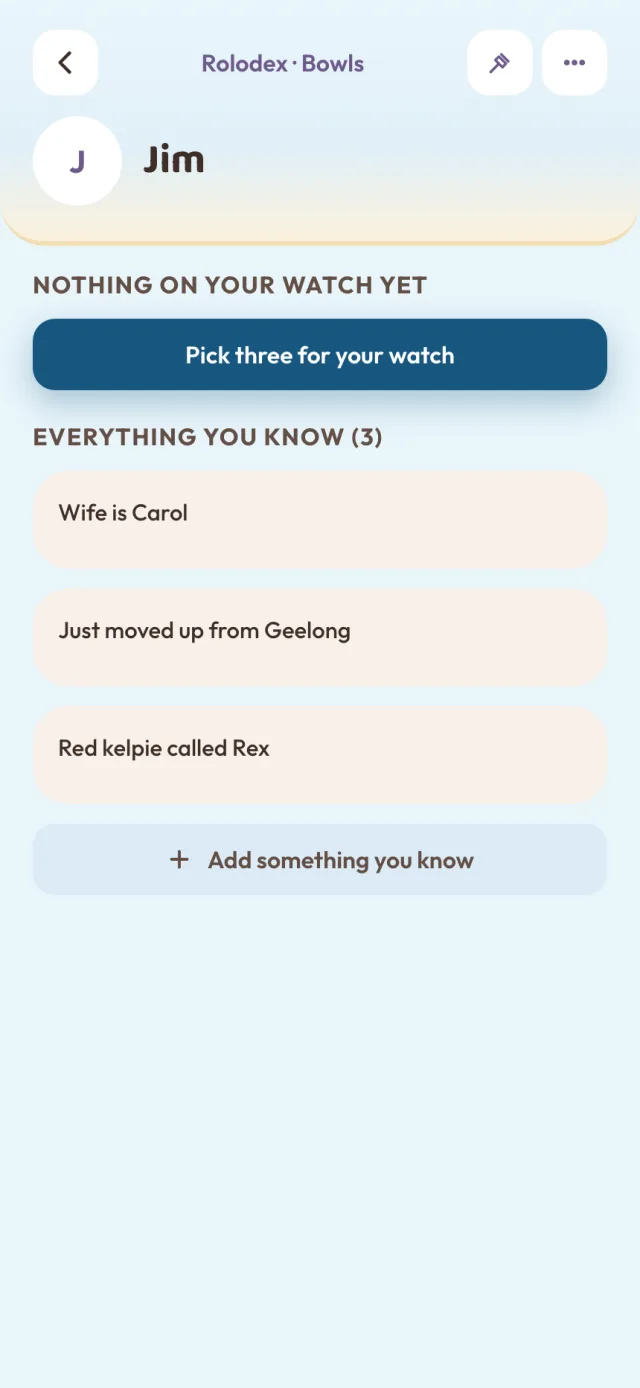
Jim, from bowls
Everyone you want to remember properly
You say“Met Jim at bowls. Wife's Carol, they've just moved up from Geelong. Red kelpie called Rex.”
It keepsThe points, in your words, in People.
The story
Work, family, friends, the shopping. Somewhere in the middle of it all, the little things slip our mind. Even the ones that would really help.
That's Thought Tank
Thought Tank captures the things that slip your mind and keeps them somewhere easy to find, so they really can help you next time.
What it helps with
Their name, who they are with, what they are into. So next time you see them, it comes straight back.
Running the familyWhat is on today, who is where, and who is doing which job. One calendar and one to-do list the whole household shares.
The how-toHow to start the mower. How to work the thermostat. How to get the heater going again. Kept in your words, ready for next time.
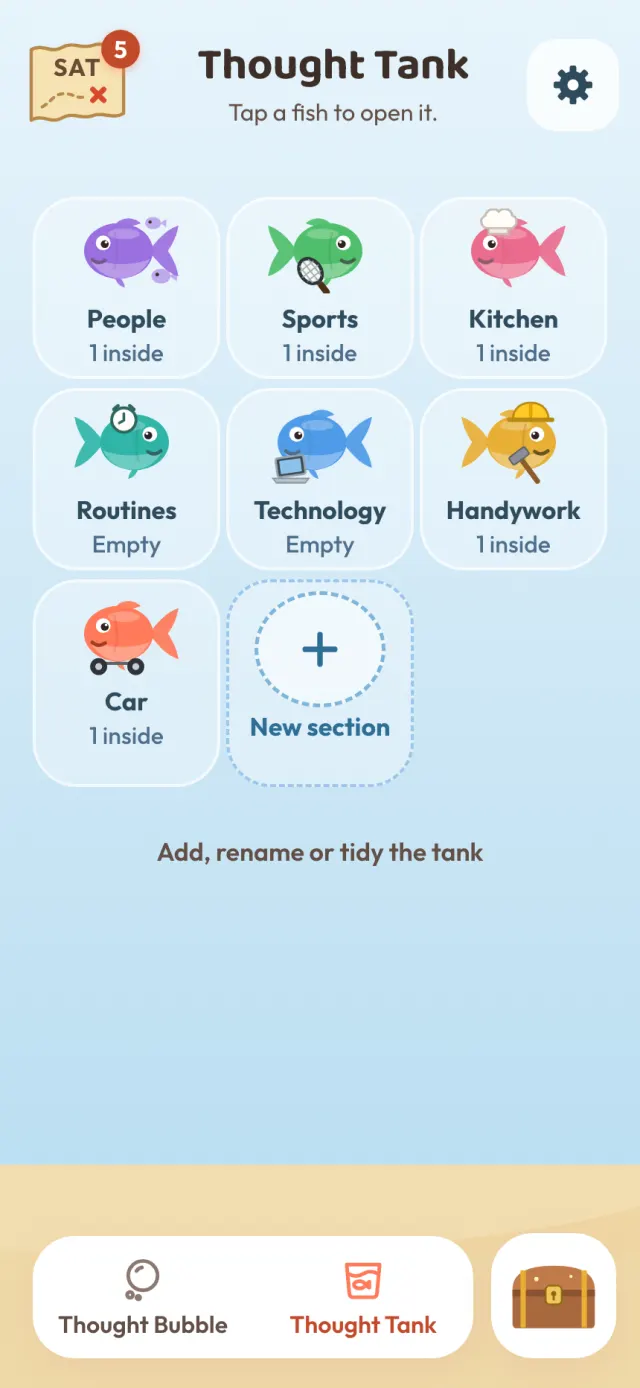
Inside the tank
Say it the way it comes out. Thought Tank pulls out the points and drops them in the right fish, so next time it is right there. The points are made from what you said, never written for you.
People
Everyone you want to remember properly
You say“Met Jim at bowls. Wife's Carol, they've just moved up from Geelong. Red kelpie called Rex.”
It keepsThe points, in your words, in People.
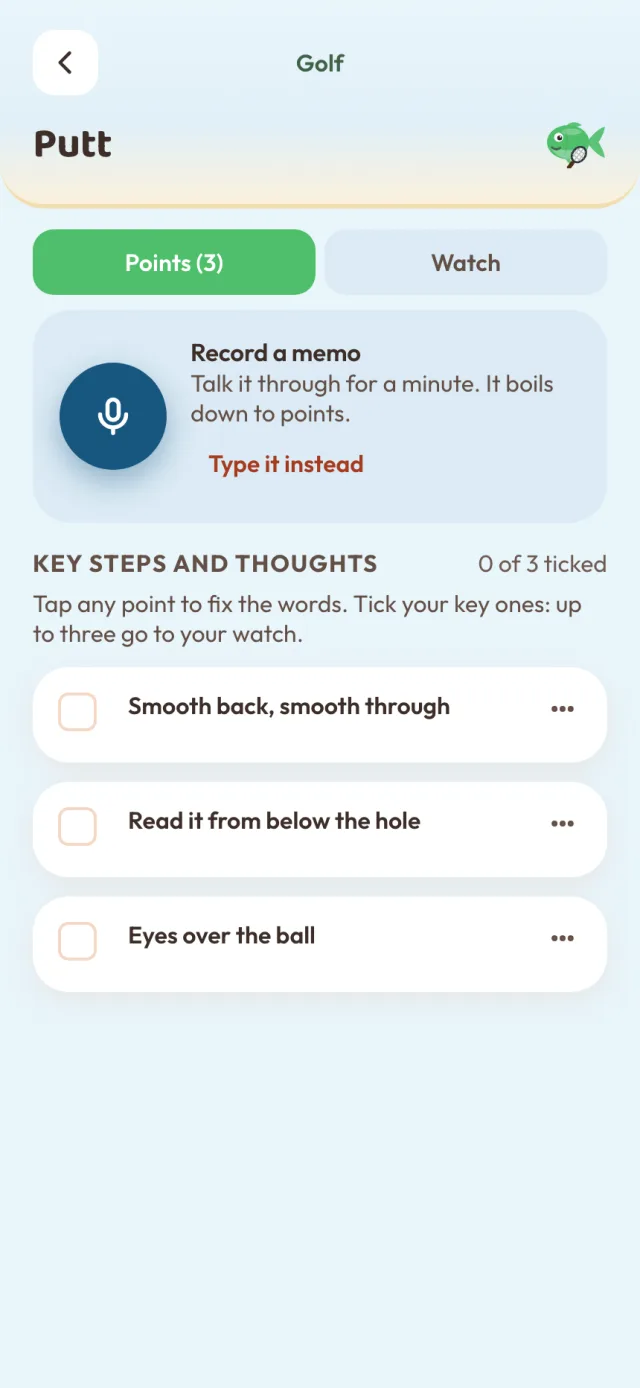
Sports
Your own cues, handed back
You say“On the putts: eyes over the ball, smooth back and smooth through, and read it from below the hole.”
It keepsThe points, in your words, in Sports.
Kitchen
Things done properly, every time
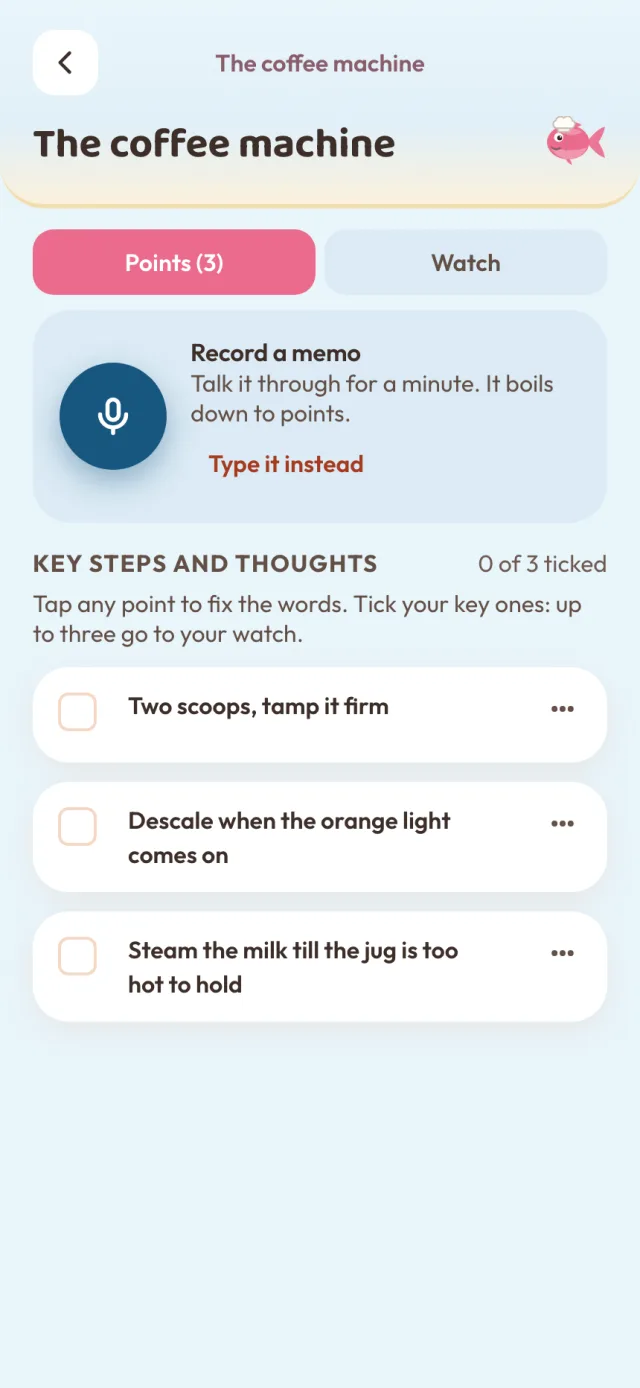
You say“Two scoops and tamp it firm. When the orange light comes on it needs a descale. Steam the milk till the jug's too hot to hold.”
It keepsThe points, in your words, in Kitchen.
Routines
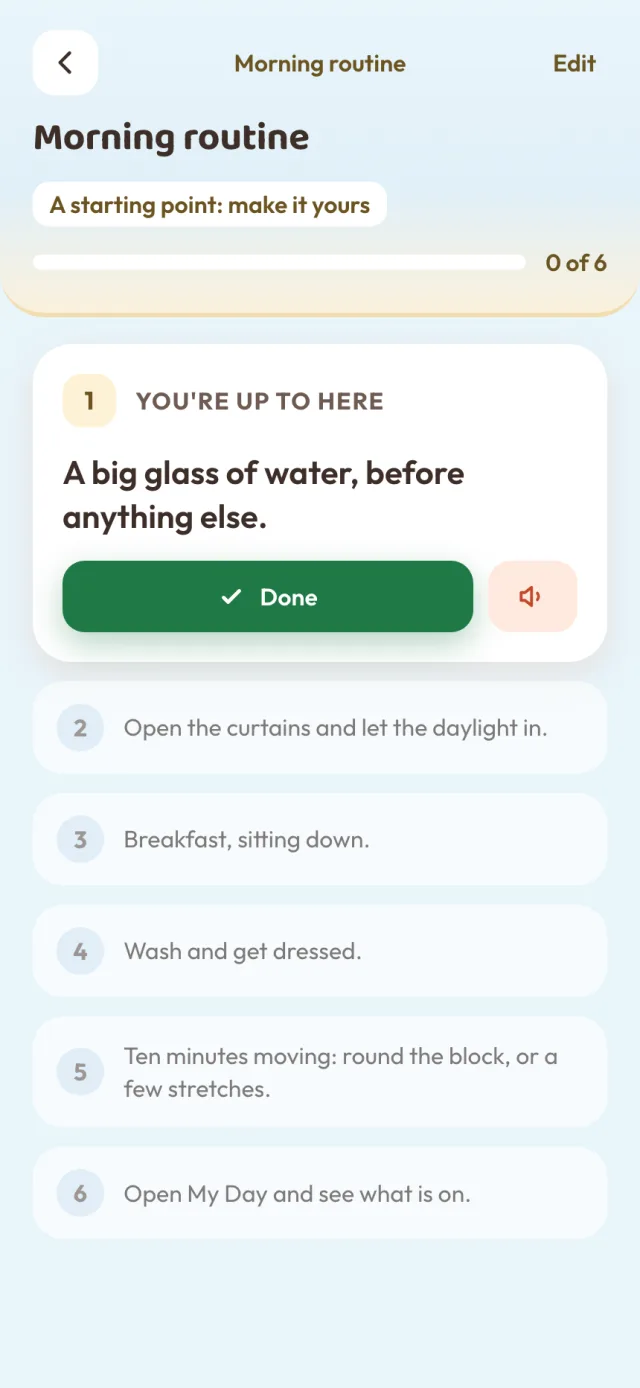
Do this, then this, then this
Start herePick a morning, day or night-time routine and it gives you a starting point to make your own.
ThenIt takes you one step at a time, and can read each step out loud.
Technology
The phone, the telly, the laptop
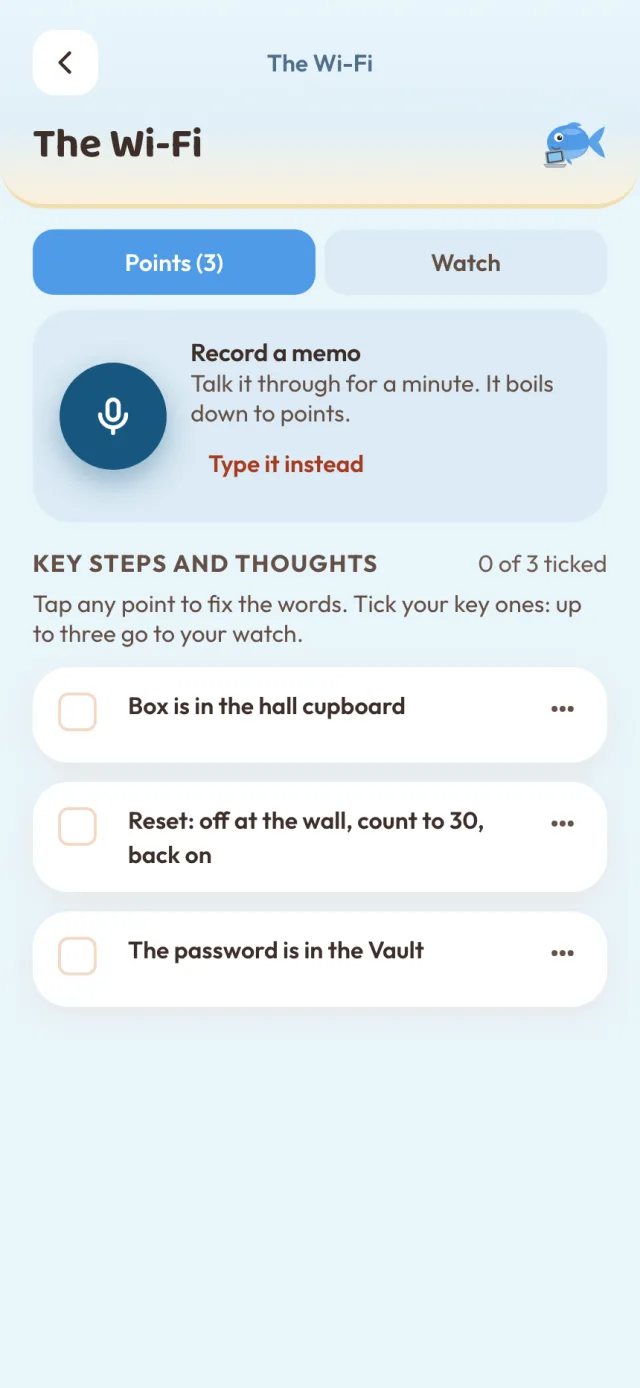
You say“The box is in the hall cupboard. If it drops out, off at the wall, count to thirty, back on. The password's in the Vault.”
It keepsThe points, in your words, in Technology.
Handywork
The house jobs you do twice a year
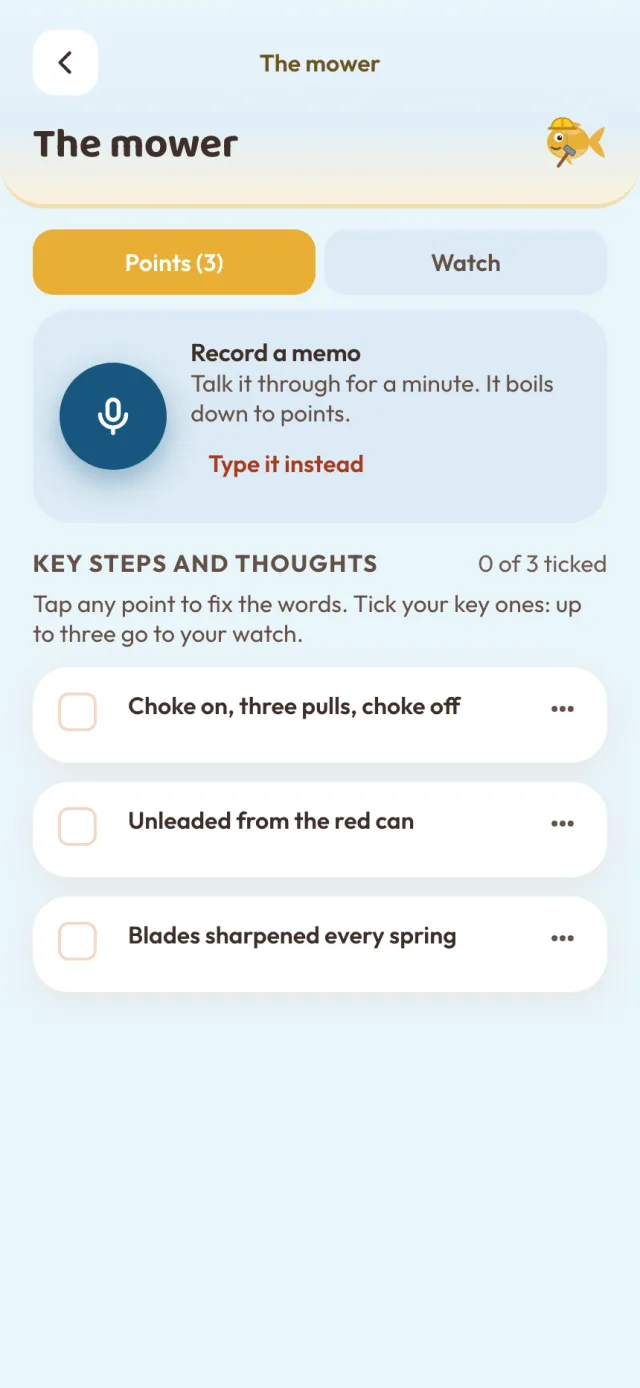
You say“Choke on, three pulls, choke off. Unleaded from the red can. Get the blades sharpened every spring.”
It keepsThe points, in your words, in Handywork.
Car
Tyres, fuel, what the service place said
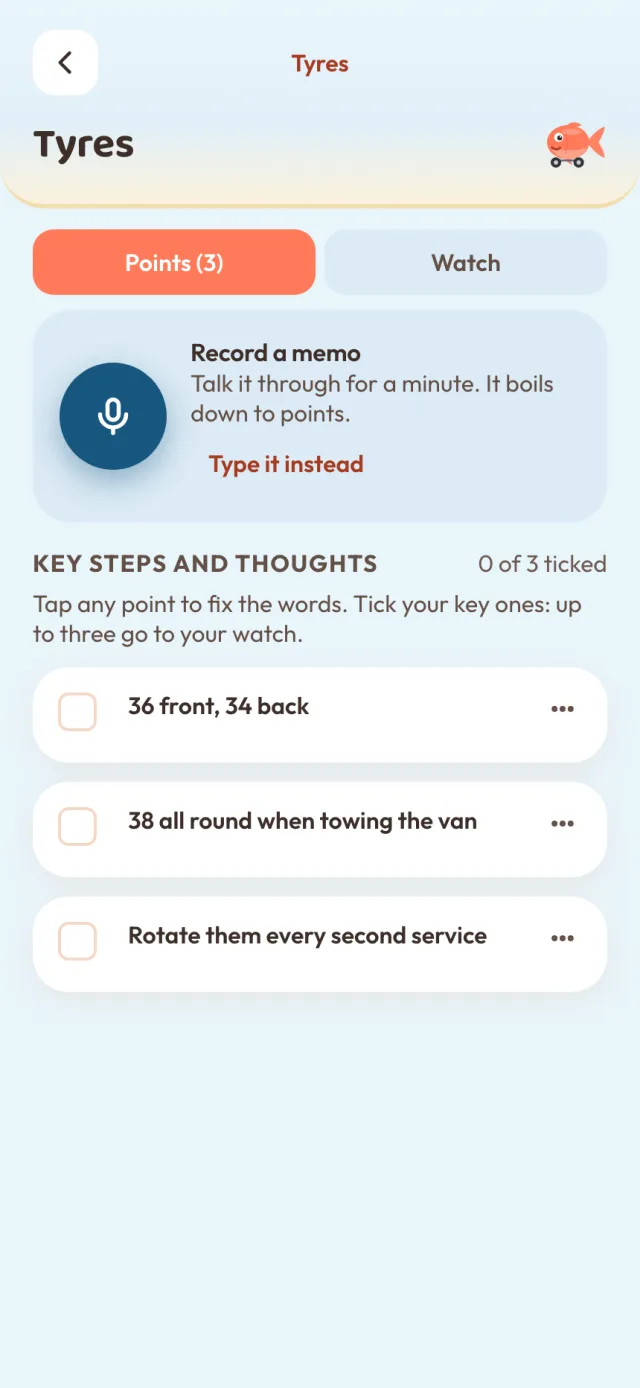
You say“Thirty-six front, thirty-four back. Thirty-eight all round when we tow the van. Rotate them every second service.”
It keepsThe points, in your words, in Car.
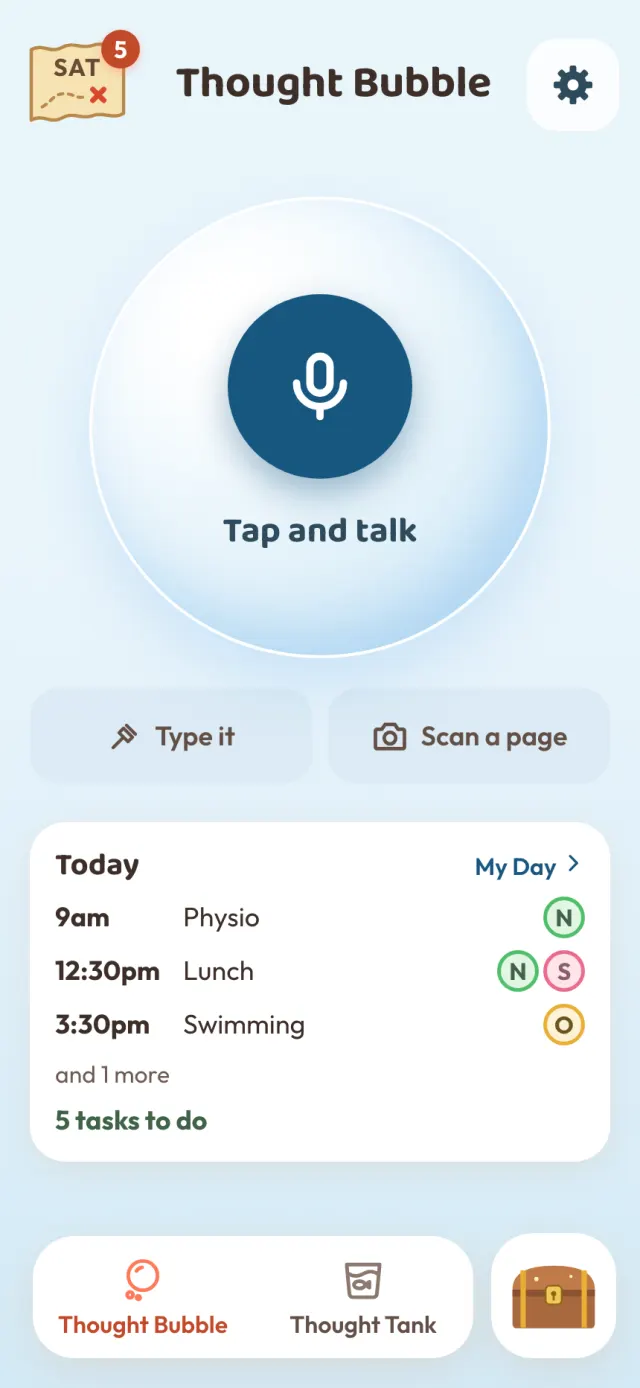
And the family’s day
No forms and no filing first. Thought Tank listens for a day, a time or a job, and gives you one answer to say yes to.
One big button. Say it however it comes out, or type it if you would rather.
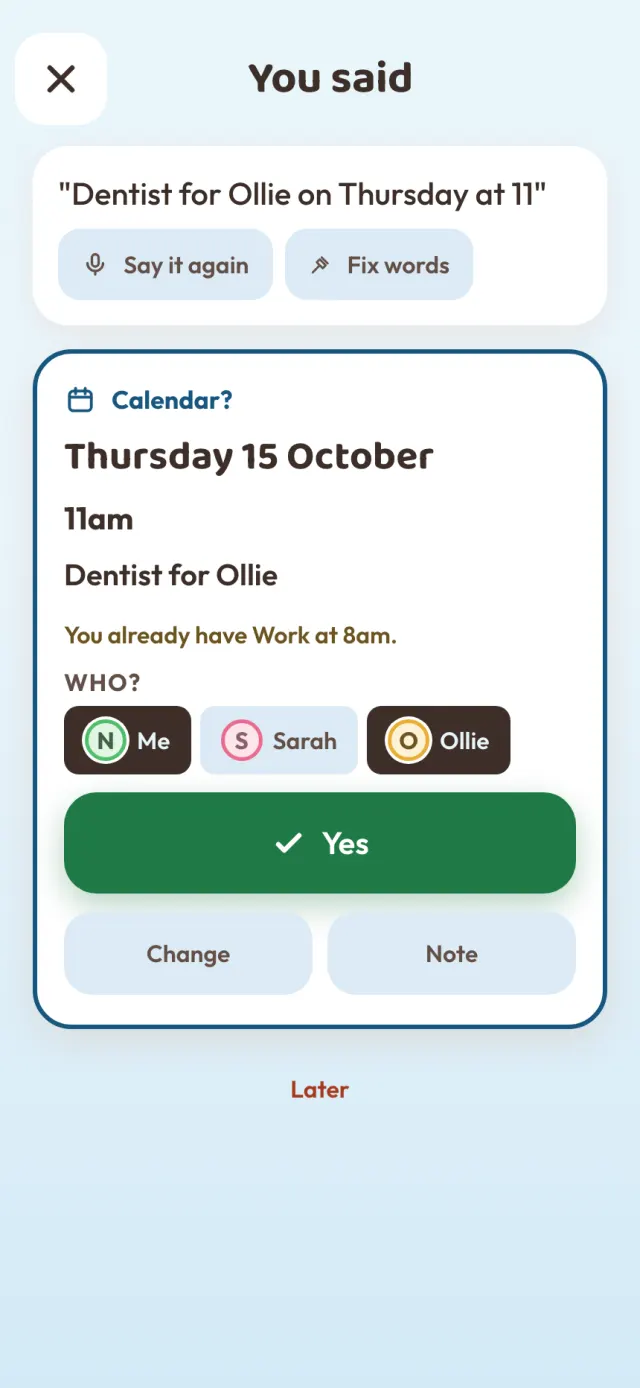
A day or a time goes to the calendar, a job to the to-do list, anything else to your tank. Pick who it is for, then Yes.
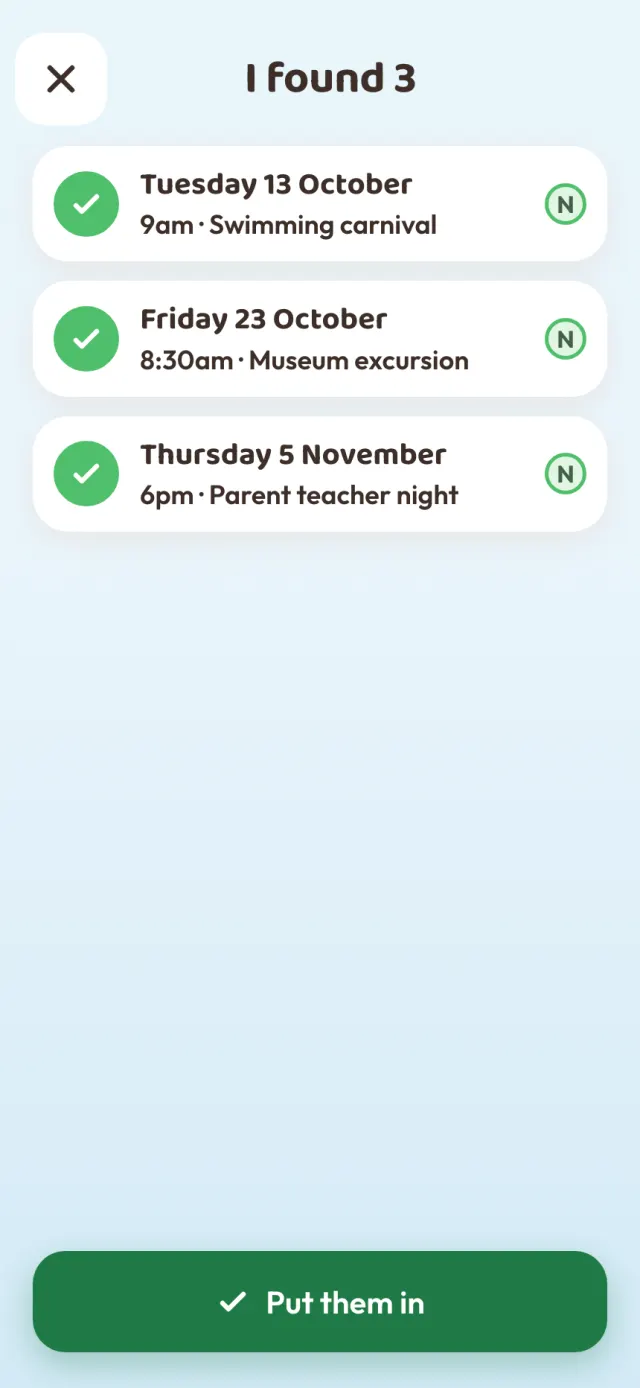
A school note, an appointment card, a club fixture. Take a photo and it finds every date on it. Untick any you do not want, then put them in.
The family plan
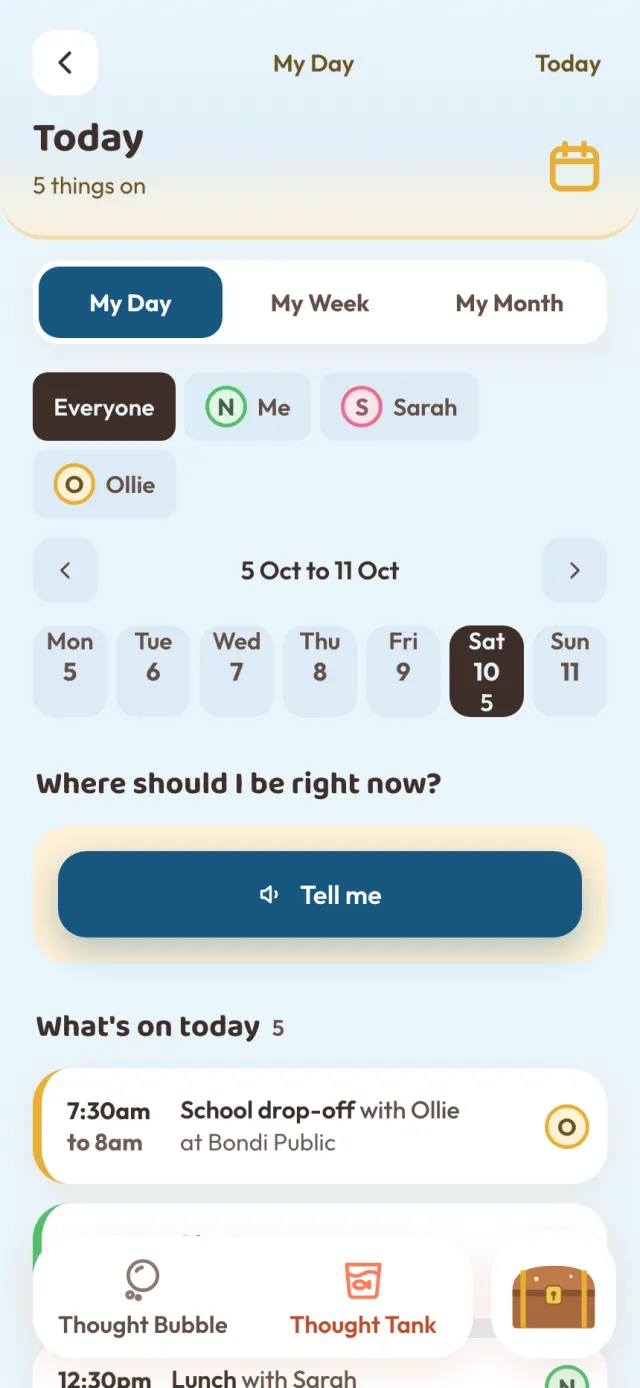
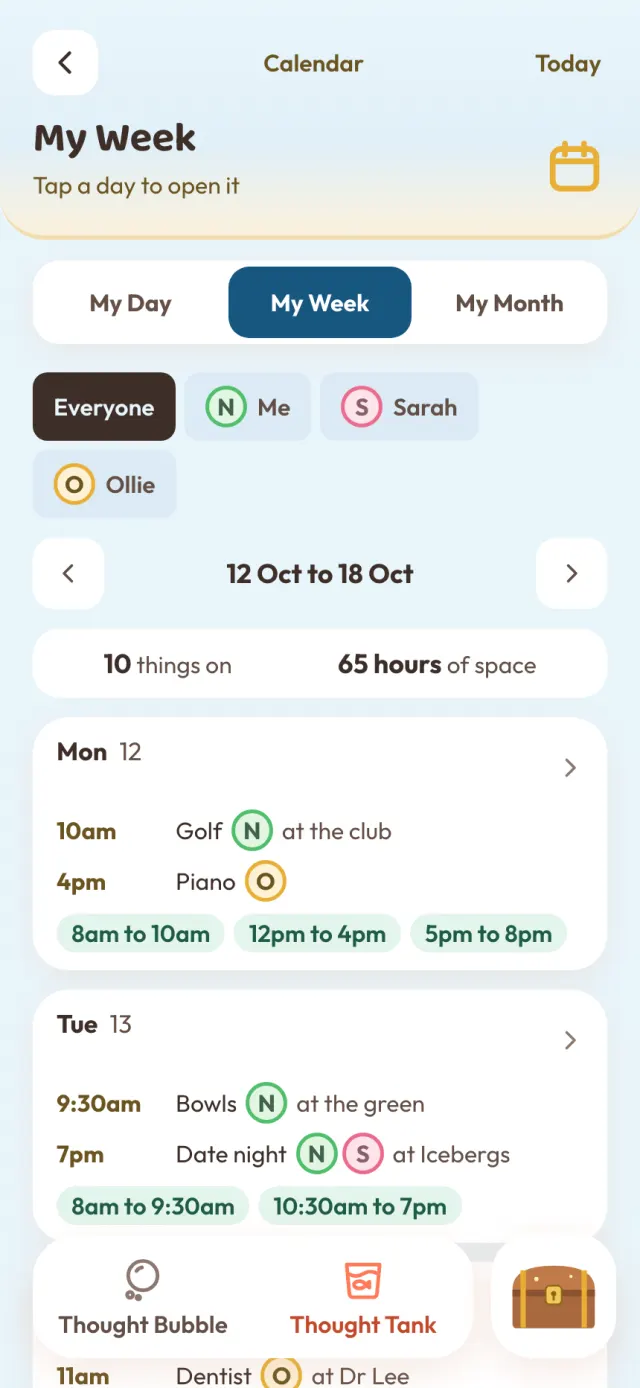
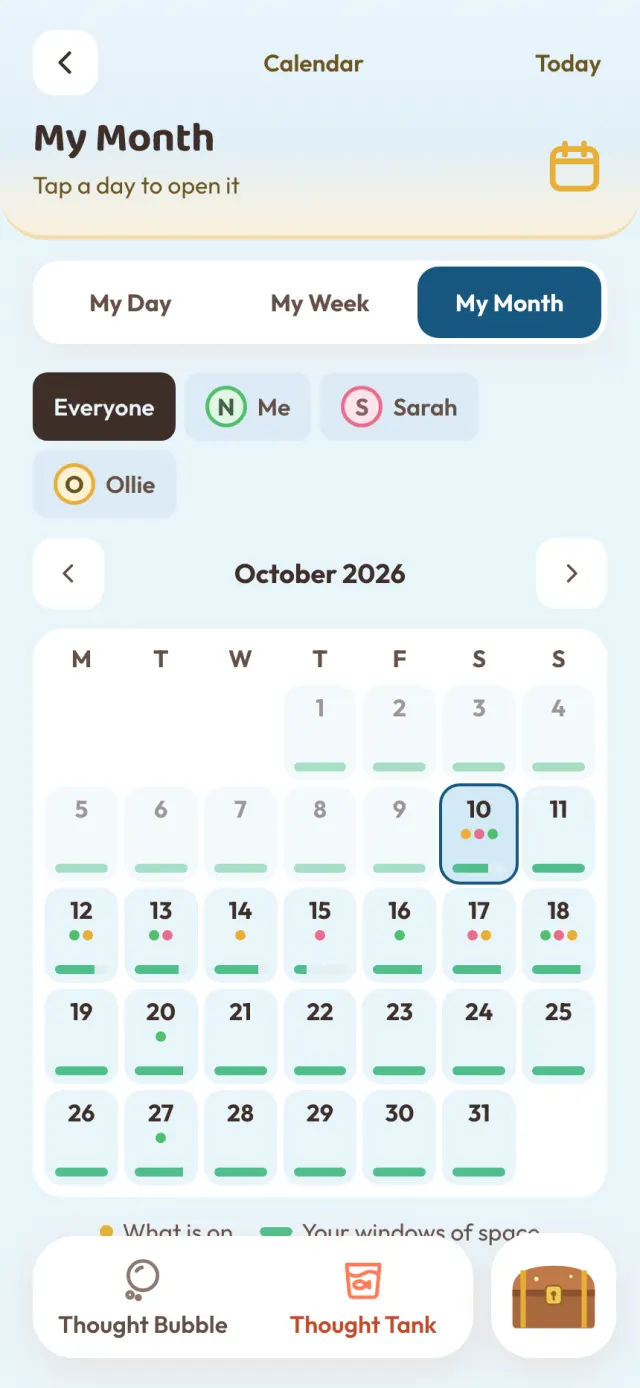
Everyone adds to the same day from their own iPhone. Each person has their own colour, so you can see at a glance who is where.
The family to-do list
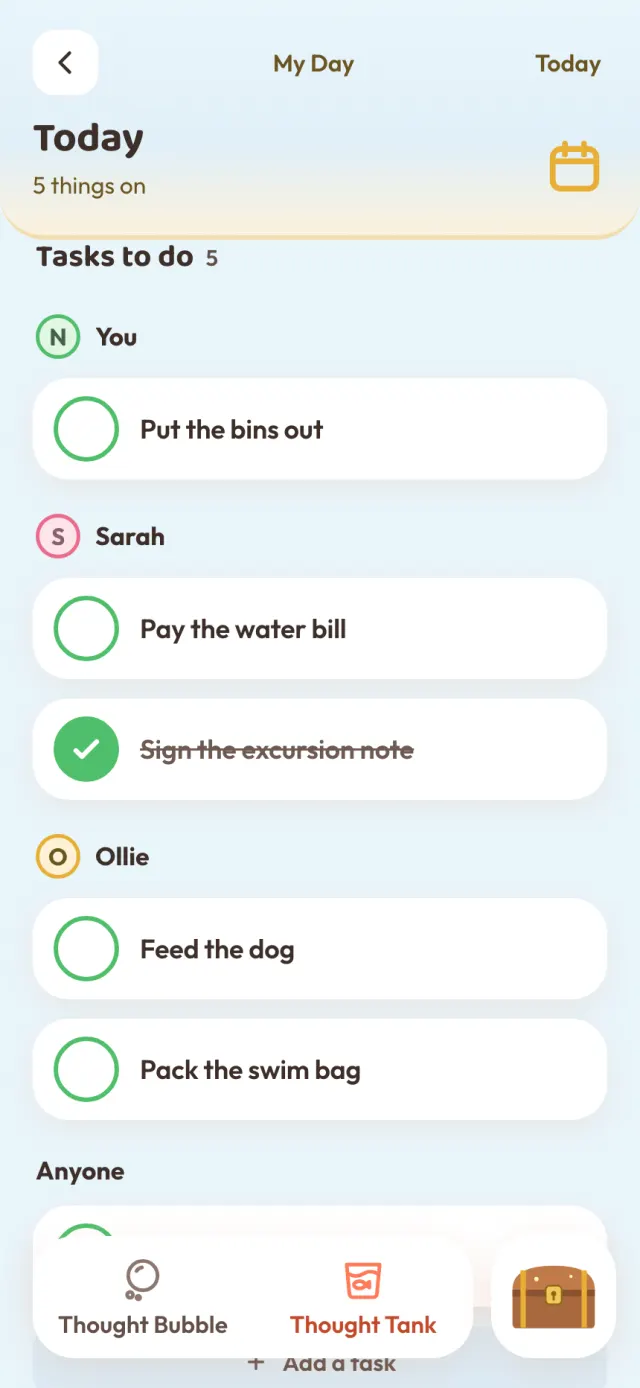
Say "Get Ollie to feed the dog" and it lands on the list under Ollie. Jobs for anyone sit under Anyone.
Apple Watch
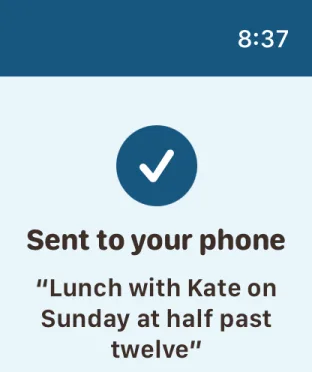
The watch app comes free with Thought Tank. Big words, high contrast, and nothing to set up: it shows what your iPhone sends it.
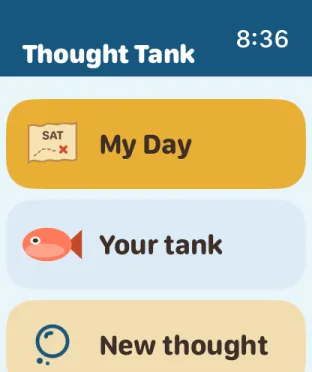
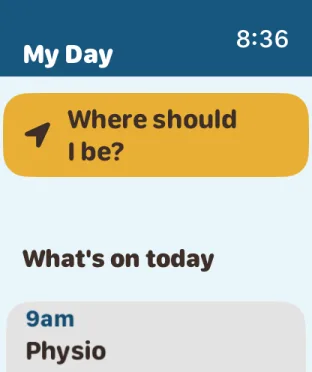
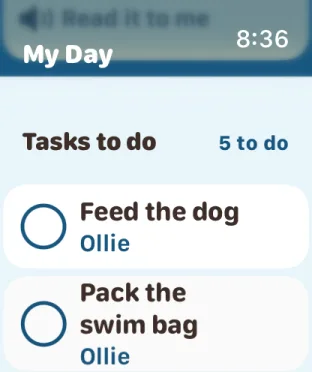
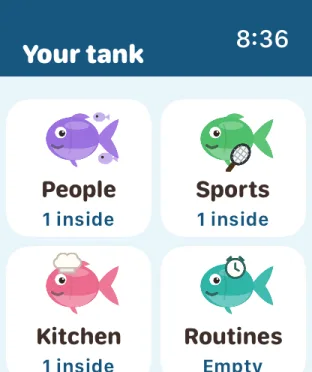
Built first for parents whose children are starting to help run their day. Big buttons, plain words, and every change is one tap away.
Say it again, fix a word, or change where it goes before anything is saved.
Anything you do not sort waits under the bubble until you are ready.
Something went missing? Bring back yesterday's copy, or any of the last 14 days, or save one to Files.
Invite them to the family space, then add to their day from your own phone.
No account. No ads. No tracking. We have no server that holds your notes, so we never see them.
What you say, or a page you scan, is turned into words on your iPhone. The recording is thrown away once you keep the points, unless you choose to keep one in your own voice. A scanned picture is never kept.
The family space lives in your family's own iCloud, shared only with people you invite.
An extra little layer for the Wi-Fi or gate code, behind Face ID. Not a password manager.
Because it is on your phone, keeping it safe and backed up is up to you. Read the Privacy Policy.
Everything you do on your own is free, Apple Watch included. Plus opens more sections and the shared family calendar and to-do list, for the whole household.
Free for the first 2 weeks.
Cancel any time up to a day before the free 2 weeks end and you pay nothing. One free trial per Apple ID.
Prices in Australian dollars; the App Store shows the price for your country. Plus is an auto-renewing subscription paid through your Apple ID. It renews until you cancel, at least 24 hours before the renewal date, in your iPhone's Settings under your name, then Subscriptions. If Plus ends, nothing you have kept is locked or deleted; you simply cannot fill new sections beyond five. Refunds are handled by Apple. See the Terms of Use.